|---|---|---|---|
| [View on TensorFlow.org](https://www.tensorflow.org/io/tutorials/colorspace) | [Run in Google Colab](https://colab.research.google.com/github/tensorflow/io/blob/master/docs/tutorials/colorspace.ipynb) | [View source on GitHub](https://github.com/tensorflow/io/blob/master/docs/tutorials/colorspace.ipynb) | [Download notebook](https://storage.googleapis.com/tensorflow_docs/io/docs/tutorials/colorspace.ipynb) |
## Overview
In computer vision, the selected color space could have a significant the performance of the model. While `RGB` is the most common color space, in manay situations the model performs better when switching to alternative color spaces such as `YUV`, `YCbCr`, `XYZ (CIE)`, etc.
The `tensorflow-io` package provides a list of color space conversions APIs that can be used to prepare and augment the image data.
## Setup
### Install required Packages, and restart runtime
pip install -q tensorflow-io
### Download the sample image
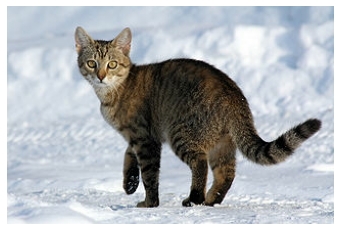
The image example used in this tutorial is a [cat in the snow](https://commons.wikimedia.org/wiki/File:Felis_catus-cat_on_snow.jpg), though it could be replaced by any JPEG images.
The following will download the image and save to local disk as `sample.jpg`:
curl -o sample.jpg -L https://storage.googleapis.com/download.tensorflow.org/example_images/320px-Felis_catus-cat_on_snow.jpg
ls -ls sample.jpg
```
% Total % Received % Xferd Average Speed Time Time Time Current
Dload Upload Total Spent Left Speed
0 0 0 0 0 0 0 0 --:--:-- --:--:-- --:--:-- 0
100 17858 100 17858 0 0 235k 0 --:--:-- --:--:-- --:--:-- 235k
20 -rw-rw-r-- 1 kbuilder kokoro 17858 Oct 27 16:33 sample.jpg
```
## Usage
### Read Image File
Read and decode the image into a `uint8` Tensor of shape `(213, 320, 3)`
import tensorflow as tf
import tensorflow_io as tfio
image = tf.image.decode_jpeg(tf.io.read_file('sample.jpg'))
print(image.shape, image.dtype)
```
(213, 320, 3)
```
The image can be displayed by:
import matplotlib.pyplot as plt
plt.figure()
plt.imshow(image)
plt.axis('off')
plt.show()
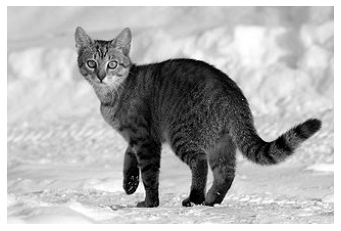
### Convert RGB to Grayscale
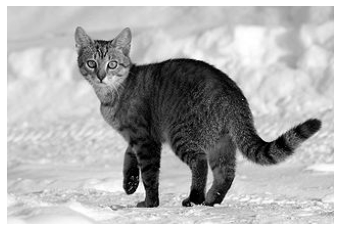
An `RGB` image can be converted to `Grayscale` to reduce the channel from 3 to 1 with [`tfio.experimental.color.rgb_to_grayscale`](https://www.tensorflow.org/io/api_docs/python/tfio/experimental/color/rgb_to_grayscale):
grayscale = tfio.experimental.color.rgb_to_grayscale(image)
print(grayscale.shape, grayscale.dtype)
# use tf.squeeze to remove last channel for plt.imshow to display:
plt.figure()
plt.imshow(tf.squeeze(grayscale, axis=-1), cmap='gray')
plt.axis('off')
plt.show()
```
(213, 320, 1)
```
### Convert RGB to BGR
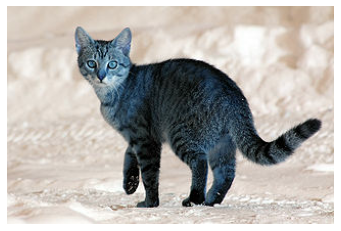
Some image software and camera manufacturors might prefer `BGR`, which can be obtained through [`tfio.experimental.color.rgb_to_bgr`](https://www.tensorflow.org/io/api_docs/python/tfio/experimental/color/rgb_to_bgr):
bgr = tfio.experimental.color.rgb_to_bgr(image)
print(bgr.shape, bgr.dtype)
plt.figure()
plt.imshow(bgr)
plt.axis('off')
plt.show()
```
(213, 320, 3)
```
### Convert RGB to CIE XYZ
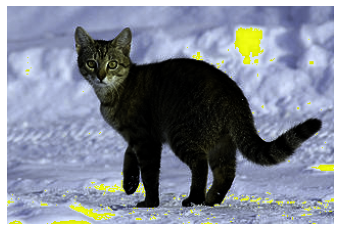
`CIE XYZ` (or `CIE 1931 XYZ` is a common color space used in many image processing programs. The following is the conversion from RGB to `CIE XYZ` through [`tfio.experimental.color.rgb_to_xyz`](https://www.tensorflow.org/io/api_docs/python/tfio/experimental/color/rgb_to_xyz). Note [`tfio.experimental.color.rgb_to_xyz`](https://www.tensorflow.org/io/api_docs/python/tfio/experimental/color/rgb_to_xyz) assumes floating point input in the range of `[0, 1]` so additional pre-processing is needed:
# convert to float32
image_float32 = tf.cast(image, tf.float32) / 255.0
xyz_float32 = tfio.experimental.color.rgb_to_xyz(image_float32)
# convert back uint8
xyz = tf.cast(xyz_float32 * 255.0, tf.uint8)
print(xyz.shape, xyz.dtype)
plt.figure()
plt.imshow(xyz)
plt.axis('off')
plt.show()
```
(213, 320, 3)
```
### Convert RGB to YCbCr
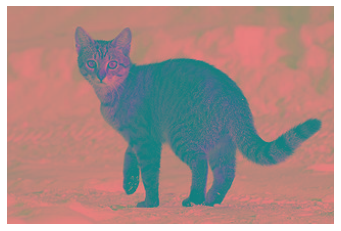
Finally, `YCbCr` is the default color space in many video systems. Converting to `YCbCr` could be done through [`tfio.experimental.color.rgb_to_ycbcr`](https://www.tensorflow.org/io/api_docs/python/tfio/experimental/color/rgb_to_ycbcr):
ycbcr = tfio.experimental.color.rgb_to_ycbcr(image)
print(ycbcr.shape, ycbcr.dtype)
plt.figure()
plt.imshow(ycbcr, cmap='gray')
plt.axis('off')
plt.show()
```
(213, 320, 3)
```
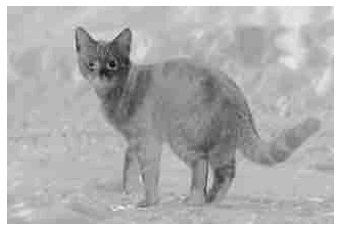
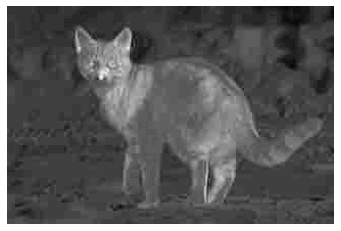
What is more interesting, though, is that `YCbCr` could be decomposed into `Y'` (luma), `Cb` (blue-difference chroma), and `Cr` (red-difference chroma) components with each component carry perceptually meaningful information:
y, cb, cr = ycbcr[:,:,0], ycbcr[:,:,1], ycbcr[:,:,2]
# Y' component
plt.figure()
plt.imshow(y, cmap='gray')
plt.axis('off')
plt.show()
# Cb component
plt.figure()
plt.imshow(cb, cmap='gray')
plt.axis('off')
plt.show()
# Cr component
plt.figure()
plt.imshow(cr, cmap='gray')
plt.axis('off')
plt.show()